
A plan library answers the question “what do I build?” The bonuses help with the next question: “how do I actually make it?” The seller includes three extras with the plans, and each one covers a different part of a project. This guide looks at the Teds Woodworking bonuses one at a time, so you can see where each fits on the bench.
If you want the price and the full offer first, our TedsWoodworking price guide lists what the $67 covers.
Get the Plans and All Three Bonuses
The plan library with the DWG/CAD Plan Viewer, 150 premium videos and the complete guides, for one payment of $67.
Claim the Bonuses With the Plans
60-day money-back guaranteeTable of Contents
The Three Covers at a Glance
Each bonus has its own cover, so you can see what you are getting before you order. The three are shown below in the order the seller lists them on its package.


The three bonuses work as a set. The viewer opens the drawings, the videos show the cuts and the guides explain the tools and joints. Together they cover the drawing, the motion and the reference. The TedsWoodworking buyer guide shows how the bonuses sit alongside the rest of the library.
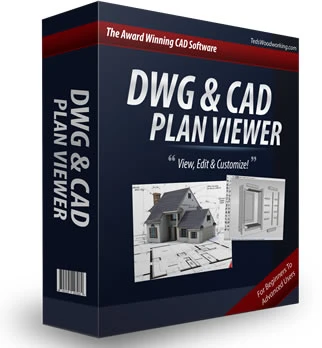
DWG/CAD Plan Viewer: Open Every Drawing
Some plans in the library come as DWG files, a drawing format used in CAD-style software. The seller describes the DWG/CAD Plan Viewer as the software you need to open those files, and it is included with the plans.
Once it is installed, a DWG drawing becomes easy to use. You can zoom into a joint, check a dimension at a larger size and read the notes on the drawing without printing anything. It suits anyone who likes to plan on a computer before buying lumber, because a drawing stays sharp at any zoom level.
The PDF plans open in any free PDF reader, so the viewer is most useful when you want the DWG versions. Keep the original files in a separate folder, so you always have the seller’s version to return to.
Open the DWG Drawings With Confidence
Plans in PDF and DWG, plus the viewer that opens the DWG drawings, included with the library.
Get the Viewer and Plans
One payment of $67150 Premium Videos: Watch the Cut First
A written plan tells you what to do. A video shows you how the hands move. The seller describes the 150 Premium Videos as step-by-step lessons hosted by veteran woodworkers, so you can watch a technique before you use it on your own wood.
The videos are most useful when you pair them with a plan. Open a bookshelf plan, read the cut list and then watch a lesson on the same kind of joint or edge. Seeing a rip cut, a clamp setup or a finish applied once often makes the written step clear.
Video also helps with tool use. Many builders learn more from a short clip on a drill press or a sander than from a paragraph about the same tool. Follow each tool’s manual as well, and wear eye and hearing protection while you practice.
Complete Woodworking Guides: The Reference Shelf
The Complete Woodworking Guides are the written reference in the bundle. The seller says they run to over 200 pages and cover topics such as hand tools and dovetail joints. Keep them on the shelf beside your plans, and open them when a plan calls for a joint or a tool you want to understand better.
Guides suit the quiet work: sharpening a chisel, marking a layout or checking a joint before glue goes on. They also help you pick which skills to build first. Reading about a dovetail before a drawer project gives you the order of steps before the saw comes out.
Build With the Full Set
The plan library, the viewer, the 150 videos and the guides, in one payment of $67.
Start Building With the Set
60-day money-back guaranteeWhich Bonus to Open First
If you are new to the library, you do not need to open all three bonuses on day one. Start with a PDF plan, read the materials list and the cut list, and then watch one video on the cut or joint the plan uses most. Turn to the guides when you have a question about a tool or a joint, and install the viewer the first time you open a DWG drawing.
Some builders prefer a visual start, so the videos come first. A moving example can make the first cut easier to picture. Readers who like written steps may begin with the guides and return to the videos later. Either order works, because each bonus answers a different question at the bench.
The viewer is the simplest of the three to set up. Install it once, and it stays ready for every DWG drawing in the library. That one step keeps the bonus useful for every plan you open later. The what’s included page in our catalog lists the three bonuses next to the plan library, and the buyer guide covers the rest of the offer.
Start With the Plan You Want to Build
The plans, the DWG/CAD Plan Viewer, the 150 videos and the guides come together for one payment of $67.
Get the Plans and Bonuses
60-day money-back guaranteeWhat the TedsWoodworking Bonuses Add to the Plans
A plan tells you the parts. The bonuses help you handle them. A good way to use the set is to follow one project from start to finish:
- Pick the plan from the library and print the materials list.
- Open the drawing in the PDF reader or, for DWG files, in the viewer.
- Watch one related video on the cut or joint you need.
- Check the guide for the tool setup or joint method.
- Build the piece, then move on to the next plan.
That sequence keeps the work moving. You do not have to hunt for an answer in three places, because each bonus has a clear job in the process.
The bonuses are part of the offer we checked, which lists $67 in one payment. Our price guide explains what to check on the checkout screen. For the wider view of the library, see our TedsWoodworking review.
Frequently Asked Questions
What bonuses come with TedsWoodworking?
The seller includes three bonuses: the DWG/CAD Plan Viewer, 150 Premium Videos and Complete Woodworking Guides, which the seller says run to over 200 pages.
Do I need the DWG/CAD Plan Viewer?
Yes, if you want to open the DWG plan files. PDF plans open in a free PDF reader, so the viewer is needed only for the DWG drawings.
What kind of videos are in the bonus?
The seller describes over 150 premium woodworking videos as step-by-step lessons hosted by veteran woodworkers. Watch them alongside the plan you are building.
Are the bonuses part of the $67 price?
The seller includes the three bonuses with the offer we checked, which lists $67 in one payment. Confirm the total on the checkout screen before you order.
Can the bonuses help a first-time builder?
They can. The videos show a technique in motion, and the guides explain tools and joints, which helps when a plan uses a method you have not tried before.
Can I get my money back if I do not use the bonuses?
The seller offers a 60-day money-back guarantee. Contact the seller through its support page with your order details, keep your confirmation email, and the seller says it refunds within 48 hours.