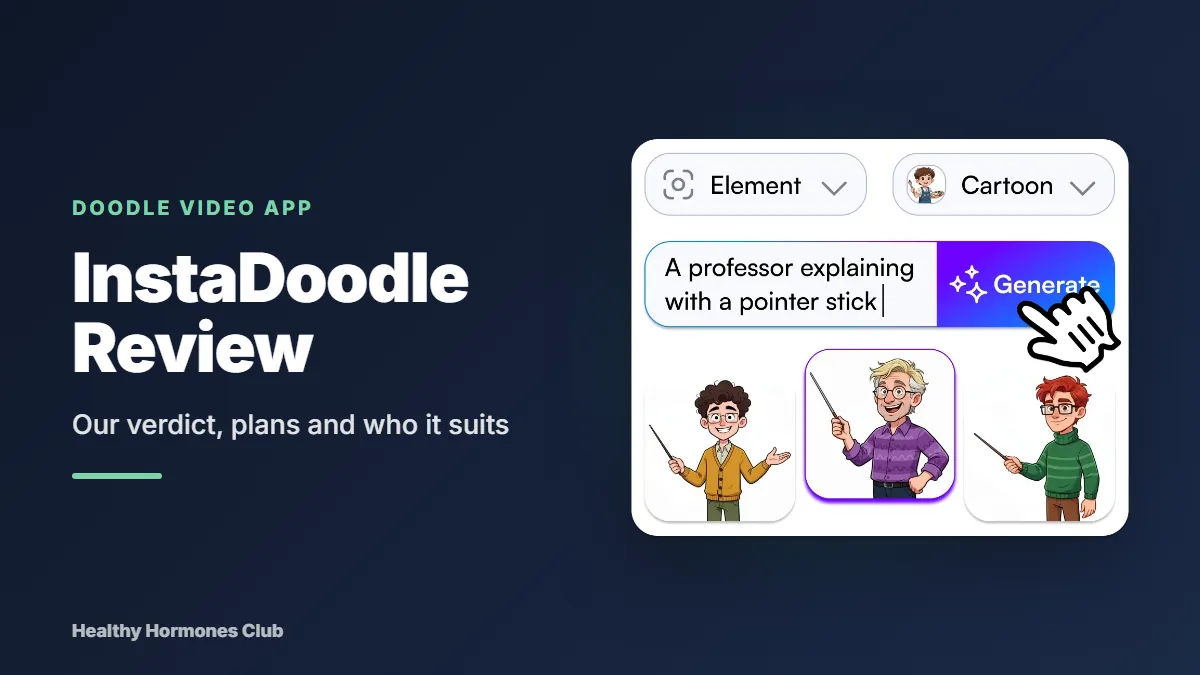
Explainer videos usually stall at the drawing step. You know what the video should say, but sketching the characters, timing each animation and recording a voiceover can eat up days. InstaDoodle is a browser-based app built for that step. You type a scene idea, its DoodleAI engine draws the characters and elements, and you add animation, voiceover and music. This InstaDoodle review covers what the app does, the monthly plans the seller lists, who it suits and how the guarantee works, including the AI credit rule.
See InstaDoodle on the Official Page
Monthly plans from $47, with cancellation at any time, according to the seller.
Check the Plans
Prices checked November 24, 2026Table of Contents
InstaDoodle at a Glance
| Item | What the seller lists |
|---|---|
| Type | Cloud web app for doodle-style videos |
| Setup | Nothing to download or install, used in a modern browser |
| Plans | Standard $47, Pro $67 and Agency $127 a month |
| Guarantee | 60-day money-back guarantee, with the credit rule |
| Our editorial score | 3.8 out of 5, set by us, not a customer rating |
The table gives you the basics. The sections below explain each line, and where the seller’s wording leaves a gap, we say so.
What InstaDoodle Does
InstaDoodle turns a text prompt into a whiteboard-style scene. You type what the video should show, and DoodleAI generates the characters, elements and backgrounds. You then arrange those pieces into scenes, choose how each one animates and add a voiceover. When the project is ready, you export it in the shape your channel needs.
The seller lists five animation styles on the core plan: Draw, Wipe, Slide, Fade and Pop In. You can also add slide transitions between scenes. For export, the app supports 16:9, 9:16, 4:5 and square formats, which covers a widescreen lesson, a phone-first clip and a square post in one project.
Start With One Scene Idea
Describe the scene, let DoodleAI draw the parts and add the animation in the same app.
Open InstaDoodle
Monthly plans, cancel anytimeFeatures Worth Knowing
The feature list is long, so these are the ones that matter most for a first video:
- DoodleAI text-to-doodle. The engine draws characters and elements from your prompt, so you do not need to sketch them by hand.
- Photo to doodle. The seller’s AI image-to-sketch tool turns a photo into a sketch-style image you can place in a scene.
- Built-in image editor. It includes a background remover, so a picture you upload can sit cleanly on the whiteboard.
- Voiceover and music. You can generate a voice or upload your own narration, then add background music.
- Library and templates. The seller lists 1,000+ built-in doodle elements and 14+ starter templates on the core plan.
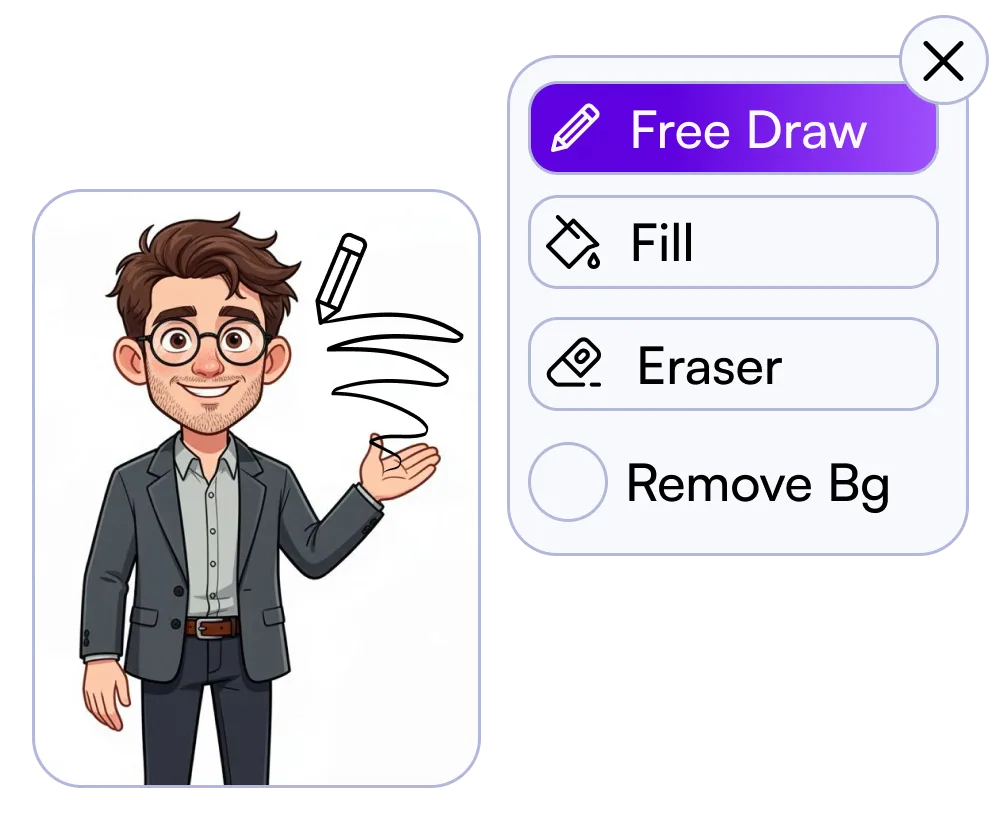
The editor is the part you will use most. Free Draw, Fill and Eraser cover hand-drawn touches, and the background remover helps when you place a photo over a coloured page. Expect to spend some time moving elements around the scene before the timing feels right.
Who InstaDoodle Suits
InstaDoodle is aimed at people who make short explainers often. A teacher who wants a lesson clip for the week, a small-business owner who explains a service to customers, or a creator who publishes doodle videos on a schedule will find the workflow fits. The prompt-first approach means you can start from an idea and not from a blank canvas.
It is less suited to a finished studio film with live actors, or to a project that needs one unique illustration style across dozens of scenes. The seller says AI output may not qualify for exclusive copyright protection, so review each output before you publish it, especially if the video carries your brand.
Pick the Plan That Matches Your Output
Standard for the core editor, Pro for the larger library and 4K, Agency for scripts and voices.
See the Monthly Plans
60-day money-back guaranteePlans and Price
The seller’s official page lists three monthly plans. Each one renews until you cancel, and the seller says you can cancel at any time with no contract.
- Standard, $47 a month. The core editor, DoodleAI, 150 AI credits, 1080p HD export, six AI styles and eight drawing hands.
- Pro, $67 a month. Everything in Standard, plus 3,000+ PRO elements and characters, PRO AI styles, 2K and 4K export, custom fonts and the commercial licence the seller lists for this plan. Pro also carries the music bonus.
- Agency, $127 a month. Everything in Pro, plus AI Wizard, which generates a script and creates the project for you, InMotion for uploaded video, and AI Voices with six voices in 30+ languages.
For the full comparison, see the InstaDoodle price guide or the plan-by-plan page on the InstaDoodle hub.
The Guarantee and the Credit Rule
The seller lists a 60-day money-back guarantee. The seller’s refund policy adds one condition that you should read before you order: a refund is not available if more than half of the included AI credits have been used. Using the seller’s own example, on a plan with 150 credits, using more than 75 of them makes a refund ineligible. Keep an eye on your credit use from the first week.
To ask for a refund, write to the help desk at help.instadoodle.com with the subject Refund Request. Include your account email, your purchase date and your order number. Keep your confirmation email, since those details are what the request needs. Cancelling a subscription and asking for a refund are separate steps, so cancelling does not by itself request a refund.
Read the Guarantee Terms Before You Order
A 60-day money-back guarantee, with the credit rule written out on the seller’s refund page.
Order With the Guarantee
Credit rule appliesHonest Limits
A few limits are worth knowing before you pay:
- It runs in the cloud. You need a connection and a modern browser. The seller says the app works on Mac, Windows and other devices, but your work lives on its servers.
- Credits can run out. The seller says the cost of an AI action may change, and Standard includes 150 credits. Heavy AI use uses them up faster.
- Your data goes to AI providers. The seller’s terms say prompts, uploads and projects are processed by the seller and third-party AI providers, so do not upload anything you lack rights to.
- Commercial use depends on the plan. The commercial licence is listed on Pro and Agency. Standard users should check the plan terms first.
Our Verdict
InstaDoodle is a specific tool for a specific job. It turns prompts into doodle-style scenes, gives you animation and voiceover in one place, and offers monthly plans with a clear guarantee and a clear credit rule. Its main strength is speed on explainer work, and its main limits are the credit rule, the cloud-only setup and the need to review AI output. We score it 3.8 out of 5 because the product is focused and well documented, and because the limits sit close to the features people look at first.
If you make short explainers on a regular schedule, the core plan is the place to start, and the InstaDoodle complaints guide answers the questions that tend to come up before ordering. If you want the price detail, read the InstaDoodle price guide next. The InstaDoodle hub links every product page in one place.
Start Your Doodle Video Today
Monthly plans from $47, cancel anytime, with a 60-day money-back guarantee and the credit rule.
Get InstaDoodle
Confirm the total on the order pageFrequently Asked Questions
What is InstaDoodle?
InstaDoodle is a cloud web app for making whiteboard-style doodle videos. You describe a scene in a text prompt, DoodleAI draws the characters and elements, and you add animation, voiceover and music. Nothing needs to be installed, and the seller says it works in a modern browser.
How much does InstaDoodle cost?
The seller’s official page lists three monthly plans: Standard at $47 a month, Pro at $67 a month and Agency at $127 a month, with cancellation at any time. The order page shows the exact plan and price before you pay. Prices were checked on November 24, 2026.
Is there a money-back guarantee?
Yes. The seller offers a 60-day money-back guarantee. Its refund policy adds a condition: a refund is not available if more than half of the included AI credits have been used. Request a refund through help.instadoodle.com with the subject Refund Request, and keep your confirmation email.
Is there a free version?
No. The seller says it does not offer free versions, so you start on one of the paid monthly plans.
Which plan should I pick?
Standard covers the core editor and DoodleAI. Pro adds the larger PRO element library, 2K and 4K export, custom fonts and the commercial licence the seller lists for that plan. Agency adds the AI Wizard script generator, InMotion and AI Voices.
Can I use the videos commercially?
The seller lists a commercial licence on the Pro and Agency plans. Check the terms of the plan you choose before you use videos for clients or for resale.