Most explainer videos stall at the same point: you know what the video needs to say, but drawing the characters, timing the animation and recording the voice takes days. InstaDoodle is a browser-based tool built for that job. This page covers the current InstaDoodle price, what each monthly plan includes, the AI credit rule that applies to the guarantee, and where to order.
Read the credit and refund rule before you order. The seller’s policy says a refund is not available if more than half of the included AI credits have been used. The commercial licence is listed on the Pro and Agency plans only. Review every AI output before you publish it.
Our 30-second take on InstaDoodle
InstaDoodle is a browser-based tool for doodle-style explainer videos. The seller's official page lists three monthly plans from $47, a cloud app with no download, DoodleAI for drawing scenes from a prompt and a 60-day money-back guarantee. It suits people who make training, onboarding and how-to videos often enough to pay monthly. Read the credit and refund rule, check the commercial licence on the plan you choose, and review every AI output before you publish it.
Why buyers choose it
- A cloud web app, so there is nothing to download or install, and it runs in a modern browser on a Mac, a Windows PC or another device, per the seller
- DoodleAI draws characters and elements from a text prompt, and the seller lists over 1,000 built-in doodle elements on every plan
- Monthly plans from $47 with cancellation at any time, per the seller's official page
- A 60-day money-back guarantee, with a refund route through the seller's help desk
Best for
Teachers, small-business owners and explainer-video makers who want to build doodle videos in a browser, with AI-drawn characters, voiceover and music, on a monthly plan from $47
At a glance
- From $47 per month
- 60-day money-back guarantee
- Cloud web app: no download, works in a modern browser
- DoodleAI draws scenes from a text prompt
- Monthly plans from $47, cancel anytime
- 60-day money-back guarantee with the seller's credit rule
What is InstaDoodle?
InstaDoodle is a cloud web app for doodle-style videos. The seller describes it as a way to create whiteboard-style explainer videos from simple text prompts. You do not download or install anything. You open the editor in a browser, describe the scene you need, and build the video from there.
The engine behind it is called DoodleAI. According to the seller, DoodleAI generates characters, elements and backgrounds from your prompt, so a sentence like “a professor explaining with a pointer stick” becomes a drawn figure you can place in a scene. You can also upload your own images, or turn a photo into a sketch with the image-to-sketch tool.
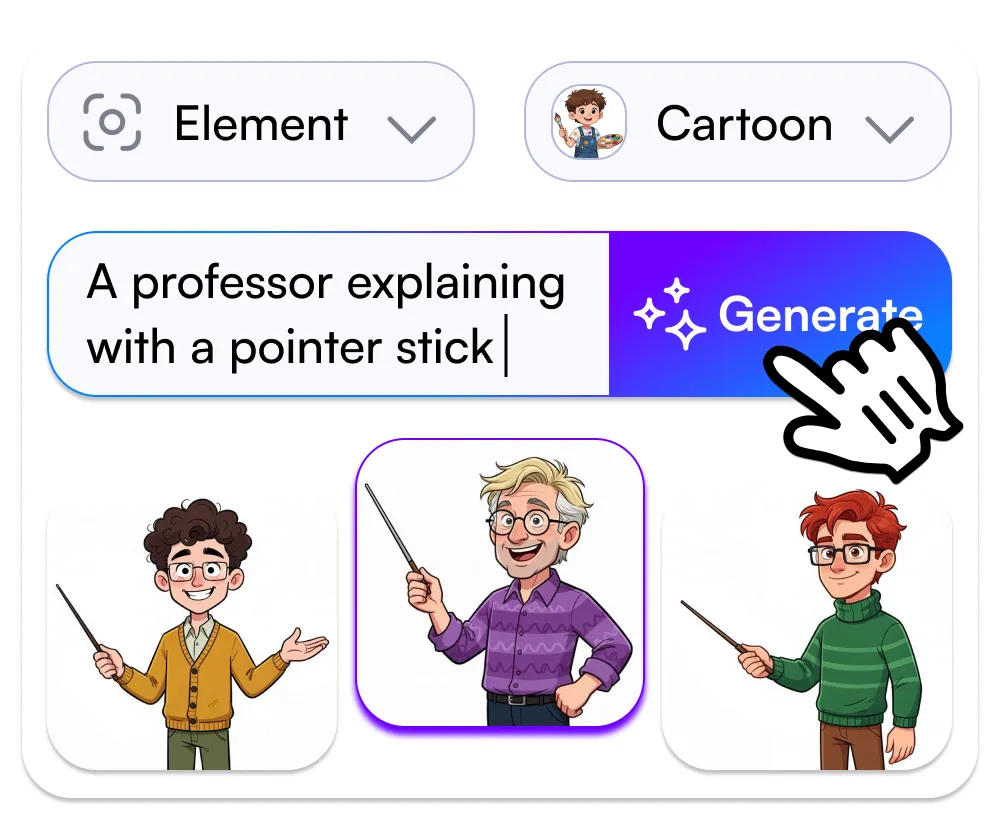
The image above shows the prompt-to-character step the seller describes. The result is a drawn figure, not a photo, and you then arrange it in your scene.
| Quick fact | Detail |
|---|---|
| Product type | Cloud web app for doodle-style videos |
| Setup | Nothing to download or install, per the seller |
| AI engine | DoodleAI |
| Plans | Standard $47, Pro $67, Agency $127, billed monthly |
| Cancellation | Cancel anytime, per the seller |
| Guarantee | 60 days, with the AI credit rule |
Start with a plan that fits your videos
Three monthly plans from $47, with DoodleAI, voiceover, music and export in 16:9, 9:16, 4:5 and square. Cancel anytime, per the seller.
See the Monthly Plans Monthly billing · 60-day money-back guaranteeWho InstaDoodle is a fit for
The seller names several uses: training videos, onboarding, explainers, how-to clips and educational content. In practice, the people who tend to fit the tool are the ones who make a steady stream of short videos and want the drawing work handled inside one browser tab.
- Teachers and trainers who turn a lesson or a process into a short animated walk-through.
- Small-business owners who want an explainer for a product, a service or a customer question, without hiring an animator.
- Team leads who build onboarding clips that new staff can watch before their first week.
- Content makers who post explainers on a website, a video channel or a social feed.
If you need one finished video once a year, a monthly plan may cost more than a single job from a freelancer. The plan makes the most sense when you will use it every month.
How InstaDoodle works, step by step
You do not need a design background to start. The flow the seller describes runs like this:
Step 1: Write the scene
Type the idea of the scene as a prompt. Short, concrete prompts give DoodleAI a clearer picture to draw. You can also pick one of the 14+ starter templates, which the seller lists on every plan.
Step 2: Let DoodleAI draw the elements
DoodleAI draws the characters and elements the scene needs. The seller lists over 1,000 built-in doodle elements on every plan, with more on Pro and Agency. You can place, resize and layer each one with the drag-and-drop editor.
Step 3: Animate the drawing
Choose how each element appears. The seller lists six animation types: draw, wipe, slide, fade and pop-in, along with slide transitions between scenes. Pick a drawing hand to match the look you want.
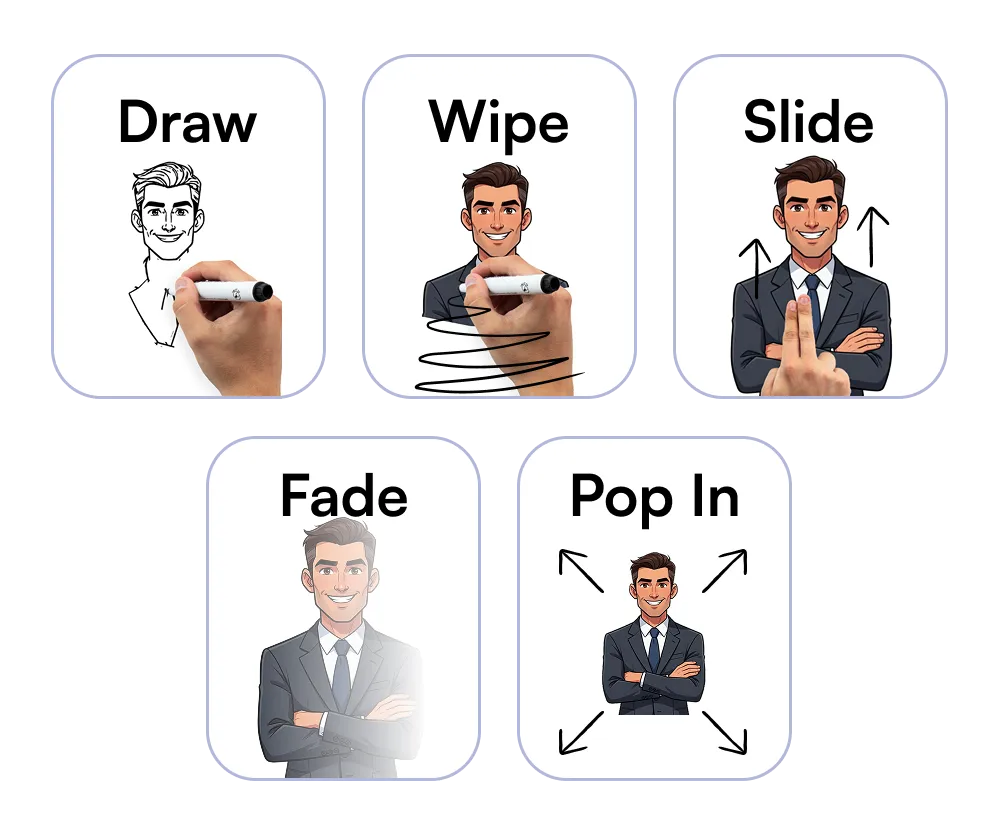
Step 4: Add voiceover and music
Record or generate a voiceover, or upload your own narration. Add background music from the library, or use the 20 background music tracks that come as a Pro bonus. The voice and music panel sits next to the timeline.
Step 5: Export for the place it will live
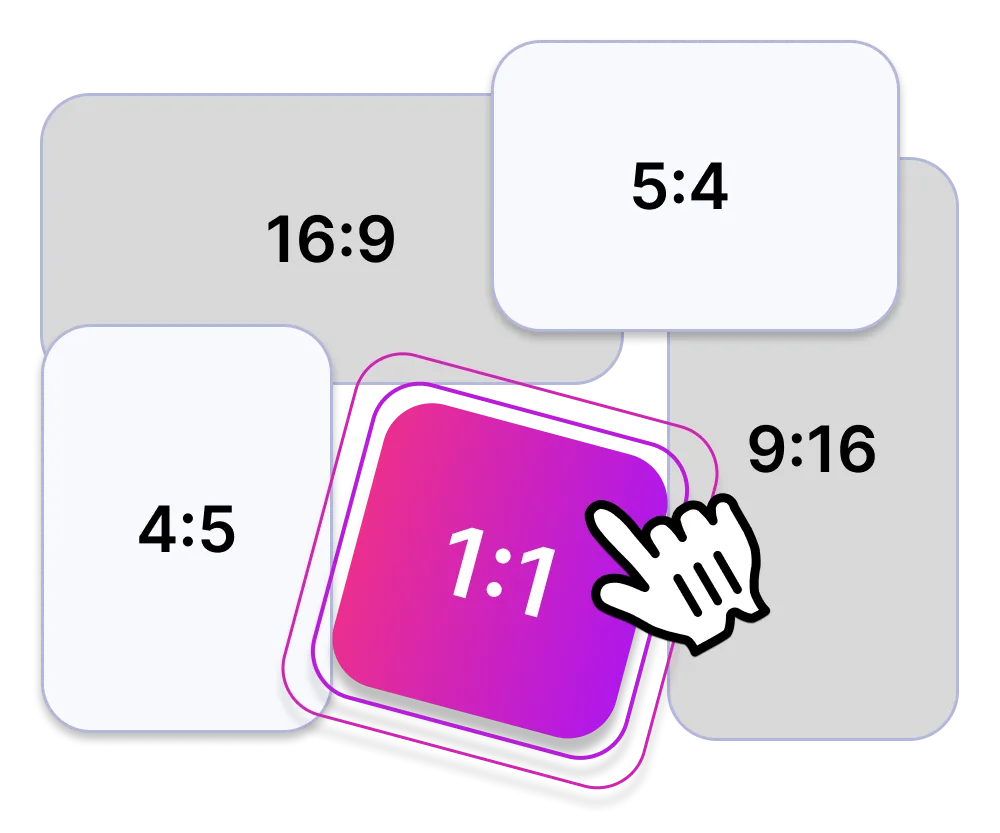
Export for 16:9 for a website or video platform, 9:16 for a phone, 4:5 for a feed, or a square format. Standard exports in 1080p HD. Pro adds 2K and 4K export, per the seller.
Turn your next idea into a doodle video
Describe the scene, let DoodleAI draw it, then add voiceover and music. Standard is $47 a month, with cancellation at any time.
Start Making Videos Monthly plans · 60-day money-back guaranteeInstaDoodle price: three monthly plans
The seller’s official page lists three monthly plans: Standard at $47 a month, Pro at $67 a month and Agency at $127 a month. Each one is marked “cancel anytime, no contracts”, according to the seller. The Pro plan is the middle card, and it is the one with the bonus and the commercial licence.
InstaDoodle Official Pricing
Standard
Monthly plan, cancel anytime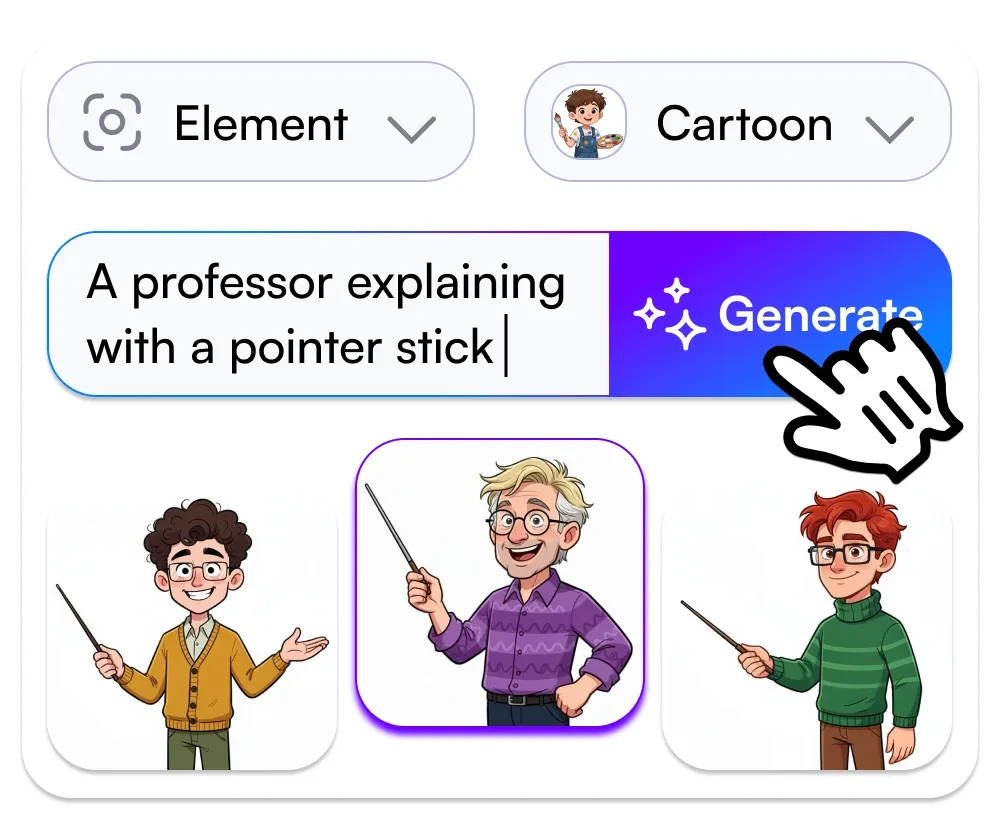 $47/month$47 total
- Drag-and-drop editor and picture-to-doodle, per the seller
- 150 AI credits, with the image editor and background remover
- DoodleAI engine, 1080p HD, 6 animation types and 6 AI styles
- 14+ templates, 8 drawing hands and 1,000+ built-in doodle elements

Pro
Monthly plan, cancel anytime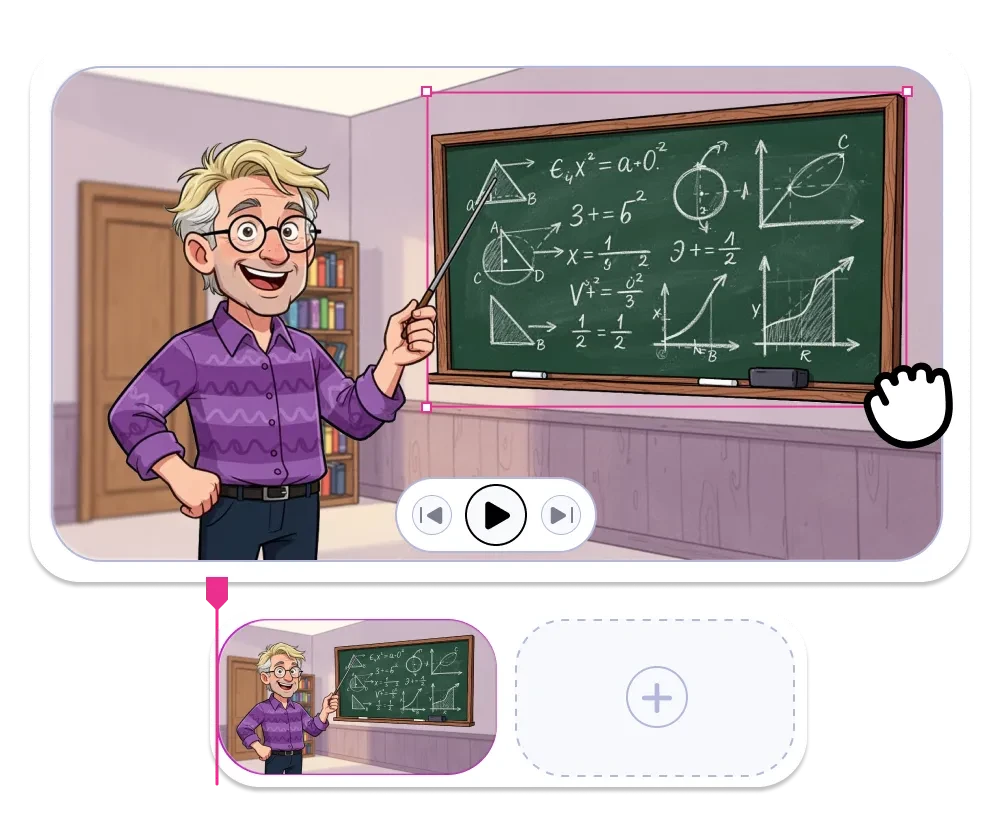 $67/month$67 total
- Everything in Standard, plus 3,000+ PRO doodle elements and characters
- Priority AI queue, 4x variations per element and PRO AI styles
- 2K and 4K export, 20 pro fonts, custom fonts and custom pro backgrounds
- Commercial licence and VIP support, per the seller
- Bonus: 20 Background Music Tracks
Agency
Monthly plan, cancel anytime $127/month$127 total
- Everything in Pro, plus the AI Wizard script generator and automatic project creation
- InMotion: upload your own videos, add transitions and 1,000+ animated elements
- AI Voices with 6 voices in 30+ languages
- Commercial licence and VIP support, per the seller; check the plan terms for team and reseller rights
Prices as published on the official order page (checked November 24, 2026). Tax and the final amount in your currency are shown at checkout.
| Plan | Price | Billing | What it adds |
|---|---|---|---|
| Standard | $47 a month | Monthly, cancel anytime | Editor, DoodleAI, 150 AI credits, 1,000+ doodle elements, 1080p HD, 6 animation types |
| Pro | $67 a month | Monthly, cancel anytime | Everything in Standard, plus 3,000+ PRO elements, 2K and 4K export, custom fonts, commercial licence, VIP support and the music bonus |
| Agency | $127 a month | Monthly, cancel anytime | Everything in Pro, plus AI Wizard, InMotion and AI Voices in 30+ languages |
The order page shows the exact plan and the total before you pay, so check it against the table above. Confirm the plan name and the monthly price on that page before you continue.
Compare the three plans on the order page
Standard from $47, Pro from $67 and Agency from $127, each billed monthly. The order page shows the plan and price before you pay.
Check the Monthly Price Monthly billing · cancel anytime, per the sellerWhat comes with each plan
The plan differences matter more than the headline price, so the full breakdown sits on our what’s included page. In short:
- Standard gives you the drag-and-drop editor, DoodleAI, picture-to-doodle, 150 AI credits, the image editor with a background remover, 1080p HD export, six animation types, six AI styles, 14+ templates, eight drawing hands and 1,000+ built-in doodle elements.
- Pro adds 3,000+ PRO doodle elements and characters, eight more hands, PRO AI styles, 20 pro fonts, custom pro backgrounds, four times the variations per element, a priority AI queue, 2K and 4K export, custom font upload, the commercial licence and VIP support.
- Agency adds the AI Wizard script generator, InMotion for uploaded videos and transitions, and AI Voices with six voices in 30+ languages.
Bonus for the Pro plan
The Pro plan includes one bonus, which the seller lists under that plan: 20 Background Music Tracks. Music is one of the quickest ways to make a short explainer feel finished, so the bonus is useful if you plan to build a series.
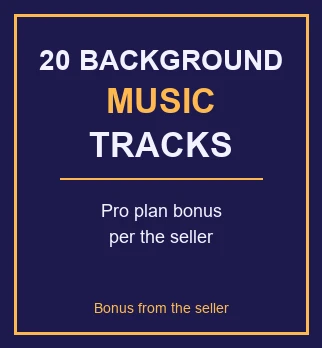
The bonus comes with Pro and not with Standard or Agency. Check the plan list on the order page before you pay if the music tracks are the reason you want the plan.
InstaDoodle review: pros and cons
Pros
- A cloud web app, so there is nothing to download or install
- DoodleAI draws characters and elements from a text prompt
- Monthly plans from $47, with cancellation at any time, per the seller
- A 60-day money-back guarantee with a clear help-desk route
Things to keep in mind
- The refund guarantee does not apply if more than half of the included AI credits have been used
- The seller says there is no free version
- The commercial licence is listed on Pro and Agency; check the terms before you use work for clients
Our editorial score is 3.8 out of 5. It is our team’s own rating of the tool, based on the feature list, the plan structure and the refund terms. It is not a customer rating. You can read how we score on our methodology page.
Is InstaDoodle legit?
InstaDoodle is a real web app with a named product, published terms and a help desk. The seller’s pages include a terms page, a refund policy, a contact page and a support desk where you open a ticket. A few points help you feel sure before you pay:
- It has a published refund policy. The 60-day guarantee and the AI credit rule are written down, so you can read them before you order.
- It has a help desk. Support runs through a ticket system, and the seller’s refund process starts there.
- It lists its plans and prices openly. The official page shows three monthly plans and the cancellation terms.
- It is a cloud app. You log in through the browser, so there is no software to download from an unknown source.
The one thing to check is the credit rule. If you plan to use most of your included AI credits in the first days, the guarantee may not cover that order. Read the rule on the order page and in the guarantee box below before you pay.
Official website and where to buy
The seller’s official website is instadoodle.com. Our buttons open the seller’s order route, where you see the plan, the monthly price and the terms before you pay. Order only from that route. A page that asks for payment through a different seller, or one that offers a different product under the same name, is not the official order page.
Open the official order page
Check the plan, the monthly price and the credit terms on the seller's order page. Keep your confirmation email for any refund request.
Order InstaDoodle Monthly plans · 60-day money-back guaranteeFor a step-by-step guide to the order page, see our where to buy page and our official website guide.
60-Day Money-Back Guarantee on Every InstaDoodle Order
Every InstaDoodle order carries a 60-day money-back guarantee, as the seller lists it. The guarantee has one condition you must read before you order: the seller’s refund policy says a refund is not available if more than half of the included AI credits have been used. The seller’s terms describe credits as usage units, so heavy AI use in the first weeks draws them down quickly.
The process is simple:
- How to ask: request a refund through the seller’s help desk at help.instadoodle.com, with the subject Refund Request. Include your account email, your purchase date and your order number.
- What to keep: your confirmation email, which holds the order details the help desk will ask for.
- Cancelling is separate: cancelling a monthly subscription stops future renewals. A refund is a separate request under the guarantee.
Keep your confirmation email somewhere easy to find before you start your first project.
Get InstaDoodle TodaySafety and commercial use notes
InstaDoodle is a cloud tool that uses AI, so a few practical points apply to every plan. Prompts, uploads and projects are processed by the seller and by third-party AI providers, under the seller’s terms. Upload only images and audio you have the right to use. AI output may not qualify for exclusive copyright protection, so review each output before you publish it. The subscription renews each month until you cancel. Our safety page covers these points in more detail.
InstaDoodle FAQ
What is InstaDoodle?
InstaDoodle is a cloud web app for making whiteboard-style doodle videos. You describe a scene in a text prompt, DoodleAI draws the characters and elements, and you add animation, voiceover and music. Nothing needs to be installed, and the seller lists it as working in a modern browser.
How much does InstaDoodle cost?
The seller’s official page lists three monthly plans: Standard at $47 a month, Pro at $67 a month and Agency at $127 a month, with cancellation at any time. The order page shows the exact plan and price before you pay. Prices were checked on 2026-11-24.
Is there a money-back guarantee?
Yes. The seller offers a 60-day money-back guarantee. The seller’s policy says a refund is not available if more than half of the included AI credits have been used. Request a refund through the help desk with the subject Refund Request, and keep your confirmation email.
Is there a free version?
No. The seller says it does not offer free versions. The plans are paid monthly plans, and the order page shows the price of the plan you pick.
Which plan should I choose?
Standard covers the core editor and DoodleAI. Pro adds the larger PRO element library, 2K and 4K export, custom fonts and the commercial licence the seller lists for that plan. Agency adds the AI Wizard script generator, InMotion and AI Voices.
Can I use the videos commercially?
The seller lists a commercial licence on the Pro and Agency plans. Check the terms of the plan you choose before you use videos for clients or for resale.
Is InstaDoodle legit?
The seller publishes terms, a refund policy, a help desk and a contact page, and it lists a 60-day money-back guarantee. Order only through the official order page, read the plan you pick, and keep your confirmation email.
Make your first doodle video this week
Monthly plans from $47, DoodleAI, voiceover, music and export in four aspect ratios, with a 60-day money-back guarantee and the credit rule on the order page.
Get InstaDoodle Cancel anytime, per the seller · 60-day money-back guarantee