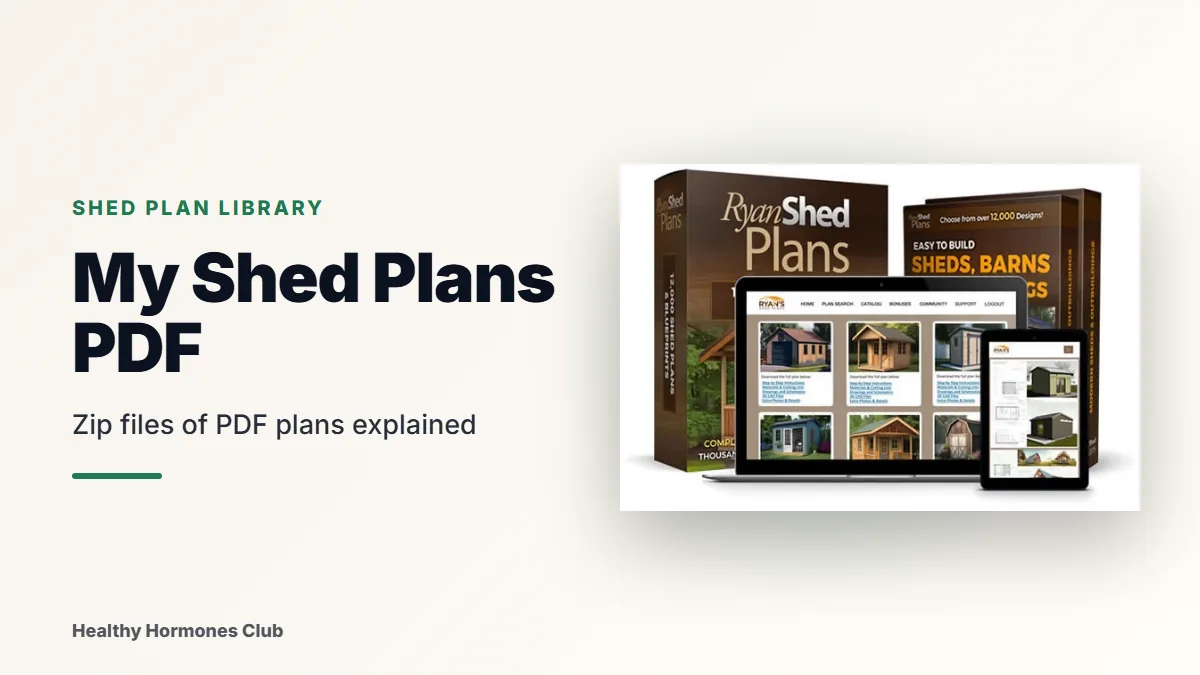
My Shed Plans PDF files are the form the plans take when you get them. The seller says the library arrives as zip files of PDFs, which you download from the members area, open with a free reader and print at home if you want paper. This guide covers how the files are packed, what you need on your computer, why the downloads are large and how to find one design inside a big file. The library is sold as one payment of $37. For the product overview, see the My Shed Plans product page.
Get the Plans as PDF Files
Zip files of shed plan PDFs, with a free reader and printing at home, for one payment of $37.
Get the PDF Plan Library
One payment · 60-day money-back guaranteeTable of Contents
How the Files Are Packed
The seller describes the library as a set of zip files. A zip file is a single package that holds several documents, and each package in the members area contains the PDFs for a set of plans. Download the package, extract it to a folder on your computer and you have the files in front of you. Keep the folder somewhere easy to find, such as your documents, so the plans stay in one place while you work.
The seller also notes that one PDF can contain multiple blueprints. That is worth knowing before you open a file, because a single document may hold a full set of drawings, the materials list and the cutting list for more than one design. Scroll through the whole file before you assume a plan is missing.
What You Need to Open My Shed Plans PDF Files
PDF files open in a PDF reader, and the seller names Adobe Acrobat Reader as the one you need. It is free to download. Install it before you buy, so the plans open the first time you try them. Typical home computers can run it, and the reader lets you zoom in on a small dimension label without losing the sharpness of the drawing.
Some builders prefer a different free reader, and that works if it opens PDFs and includes a search box. What matters is that you can zoom, scroll and search. Check that the reader can display the drawing at full size before you print the page.
Open the Plans With a Free Reader
Shed plan PDFs with materials lists and cutting lists, opened in the free reader the seller names.
See the Plan Library
$37 one paymentWhy the Downloads Take a While
The seller warns that the zip files are large and can take a while to download. A library of many plans, each with drawings, 3D views and lists, adds up to a lot of data. Start the download on a steady connection, and avoid starting a second large download at the same time. If a file stops partway, check that the zip file opens before you rely on it, and note the file name so you can ask for help with the order if needed.
Plan for the time. A first download can run longer than you expect, so start it before you plan the weekend’s cuts rather than during them.
Finding One Plan Inside a PDF
The seller says each PDF has a search function that helps you find a plan inside the file. Open the file, press the search key in your reader and type the name of the roof, the shed size or a word from the materials list. The reader jumps to each match, so you can read the section without scrolling through every page.
Search works best when you know the word the plan uses. Try the roof name first, such as gable or saltbox, and then a part name, such as rafter or floor frame. When you find the plan, bookmark the page or save a copy of that section to a folder for your project.
Printing Plans at Home
Because the plans are PDFs, you can print the pages you need on a home printer. Print the materials list and the cutting list first, since those are the pages you carry to the lumber yard and the workbench. Print the drawing at its full size, and check the print size before you measure from paper.
Keep a clean copy of each printed page. Paper gets dusty and torn in a shop, and a second copy saves a trip back to the printer. Some builders also keep the PDF on a tablet next to the saw, which makes the cutting list easy to read without a stack of paper.
The Optional DVD Copy
The seller offers an extra at checkout: a PC DVD-ROM of the core plans, shipped to your mailbox. The seller says it ships in 12 to 18 working days. It is a computer disc, so it is not for a home DVD player. We did not see its price on the page we checked, so read the checkout screen before you add it. The DVD is optional, and the downloadable library is the main product.
Start With the Downloads
Zip files of plan PDFs, searchable and printable, for one payment of $37. Read the checkout total before you add any extra.
Download the Shed Plans
60-day money-back guaranteeCopies Posted Elsewhere
You may find shed plan PDFs posted on other websites, and some of them look similar to this library. Those copies are not the same product. We do not link to them, and we do not suggest that they are approved by the seller. The official order page gives you the members-area files, the seller’s support route and the 60-day money-back guarantee, which a copy from another site does not carry. For ordering steps, read our where to buy guide and the My Shed Plans price guide.
Save the Plans to Your Own Folder
Zip files of shed plan PDFs that you can keep, search and print, for one payment of $37.
Get the PDF Plans
60-day money-back guaranteeKeeping Your Plans Organised
A library with many zip files can become messy quickly. Create one folder for the library, then a subfolder for each project you start. Move the printed pages you use into that project’s folder, and name each printout with the plan name and the sheet type, such as materials or cutting, so you can find the right page without opening the PDF again.
Keep one clean copy of each zip file as well. If you move files between a laptop and a tablet, the original zip stays intact, and you can extract it again on a new device without a second download. That habit saves time when a file you need has to be opened in the shop, away from your main computer.
Working Without a Connection
Once a PDF is saved to your computer, you can open it in the reader without a connection. That helps in a garage or workshop where the signal is weak. Download the plan you need before you head out, and keep the materials list open next to the saw so you are not hunting for a file mid-cut.
If you want to see how the members area is laid out before you read a file, the what is My Shed Plans guide walks through the library from login to plan.
Frequently Asked Questions
What format are My Shed Plans in?
The seller says the plans come as zip files of PDFs. Each zip file is a download from the members area, and one PDF can hold several blueprints.
Do I need special software?
You need a PDF reader. The seller names Adobe Acrobat Reader, which is free to download.
Why are the downloads so large?
The seller says the zip files are large and can take a while to download, so a steady connection and some patience help the first download go smoothly.
Can I print the plans at home?
Yes. The plans are PDFs, so you can print the pages you need on a home printer. Check the print size before you measure from paper.
Is there a physical copy?
The seller offers an optional PC DVD-ROM of the core plans at checkout. It ships in 12 to 18 working days, per the seller, and it is for a computer, not a home DVD player.
Are free PDF copies of these plans the same product?
No. Copies posted on other sites are not this library. Get the plans through the official order page, so you receive the members-area files and the guarantee that comes with them.