
Looking for the InstaDoodle official website? The seller’s own site is instadoodle.com, and it is the place to read the app’s description, the three monthly plans, the terms and the refund policy. This guide shows how to find the real order page, what it should show before you pay, and how to check the address on any page that asks for your details. Everything here comes from the seller’s pages as they read on November 24, 2026. The InstaDoodle hub covers the product as a whole.
Open the Order Page From Our Button
Our button opens the seller’s order page with the monthly plans, so you can confirm the plan and total before you pay.
Go to the Order Page
Checked November 24, 2026Table of Contents
Where the Official Site Is
The seller’s official website is instadoodle.com. Its pages describe the cloud app, show the DoodleAI prompt box and the editor, list the monthly plans, and link to the terms, the refund policy and the contact page. The support desk lives on a subdomain, help.instadoodle.com, where you open a ticket.
If you prefer to start from the seller’s pages, type instadoodle.com into your browser yourself. That route avoids any link you did not choose, and the pages you reach there carry the seller’s current wording. We link to the order page from our buttons, and the page you land on should match the plan details in this guide.
Bookmarking the address after your first visit is a small step that saves time later. It also means you can return to the same official pages for the terms and the refund policy after you order, rather than searching for them again when you need them.
What the Official Pages Show
The official pages are built around the product. You see a text prompt box, a sample doodle scene, the editor tools and the animation options. The pricing section lists the three monthly plans with the line “Cancel anytime. No contracts.” The terms and the refund policy sit in the footer, and the FAQ covers the basics of the app.
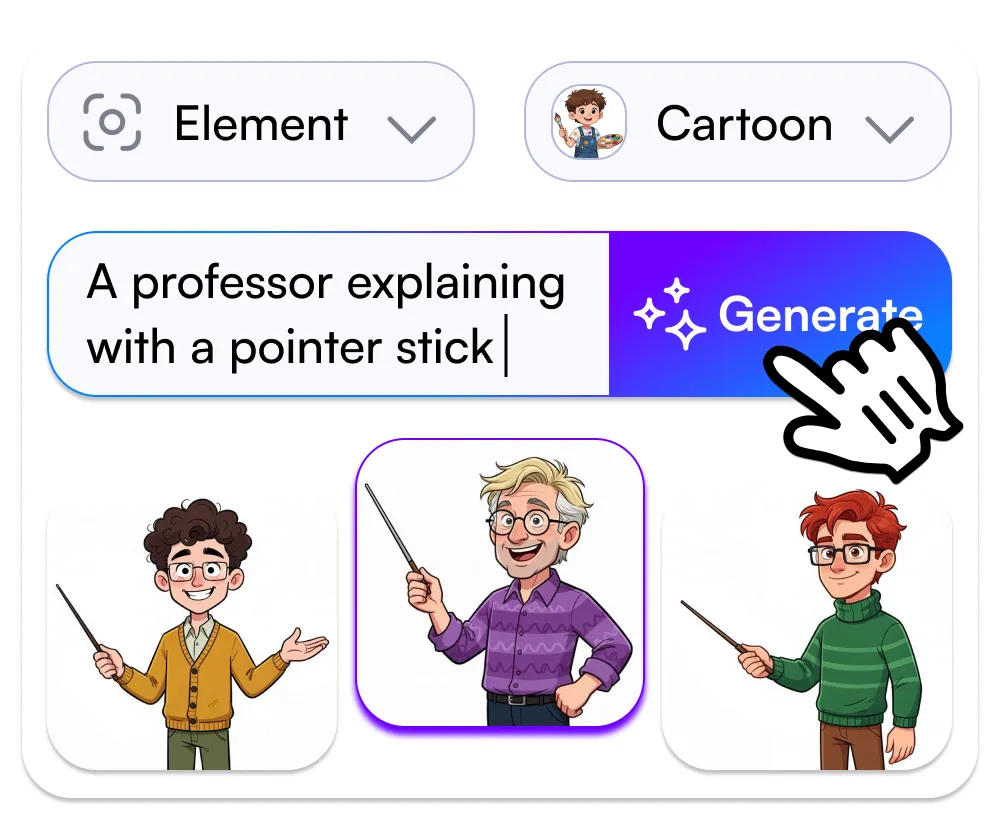
The official pages also contain some older checkout text that does not match the monthly plans. That is a reason to read the plan name and the total on the order page, not a reason to distrust the site. The order page is where the plan and price are confirmed.
The site also carries an FAQ that answers the basic questions about use and billing. Read it alongside the terms, because the terms are the document that sets out the rules. Where the FAQ and the terms differ, the terms and the order page are the ones to rely on.
Compare the Plans on the Order Page
Standard, Pro and Agency, billed monthly, with the 60-day money-back guarantee and the credit rule.
Compare the Plans
Monthly from $47The Plans and Prices on the Site
The official page lists Standard at $47 a month, Pro at $67 a month and Agency at $127 a month. Each plan is billed monthly and the seller says it can be cancelled at any time. Our InstaDoodle price guide explains what each plan adds, and the plan-by-plan page lists the features.
Do not rely on a price you saw somewhere else. Read the price shown on the order page before you confirm, and check the total, including any tax the checkout adds. If the figure on the order page differs from the monthly price listed on the official site, stop and use the help desk before you pay.
How to Check the Address Before You Pay
Before you enter any card details, look at the web address on the order page. It should be the seller’s own domain, instadoodle.com, or the payment route the seller names on its pages. Check the plan name and the monthly price, then check the refund terms. A page that asks for payment without showing a plan, a price and a refund route deserves a second look.
Simple habits help here. Bookmark the official site the first time you visit it. Keep the confirmation email, which holds the order details you will need later. If you ever land on a page that feels wrong, close it and start again from the seller’s site rather than following a link from an email or a message.
If you are unsure, compare the address on the page with the address in this guide and with the address you see on the seller’s own site. Do not enter card details on a page you reached from an unexpected message, even if the page looks familiar. Starting from the seller’s site costs a few seconds and removes that doubt.
Start From the Seller’s Site
Visit instadoodle.com yourself, or use our button, then read the plan, the total and the refund terms before you confirm.
Open the Order Page
Monthly billing, cancel anytimeWhy Our Button Goes to the Order Page
Our buttons open the seller’s order page, and they are the same route the seller’s own pages use to sell the monthly plans. The button is not a substitute for the seller’s site. It is a shortcut to the order page, where you still confirm the plan, the total and the terms yourself. You can leave the order page at any point without paying. Our complaints guide and our legitimacy checklist cover the questions to settle before you order.
After You Order
Once you order, keep the confirmation email and the receipt. Store them in the same folder as the saved terms, so every detail a request needs sits in one place. The seller’s refund process asks for your account email, your purchase date and your order number, and all three are in those documents. You log in at instadoodle.app/user/login. If you cannot get in, or you need help with a charge, open a ticket at help.instadoodle.com. For the rest of the product pages, the InstaDoodle hub is the place to start.
Go Straight to the Official Order Page
Monthly plans from $47 with cancellation at any time, according to the seller. Confirm the total before you pay.
Order InstaDoodle
60-day money-back guaranteeFrequently Asked Questions
What is the InstaDoodle official website?
The seller’s official site is instadoodle.com. It shows the app, the three monthly plans, the terms, the refund policy and the contact page. Type that address yourself if you want to start from the seller’s own pages.
What should the InstaDoodle order page show?
The order page should name the plan, show the monthly price, list the total at checkout, and link to the refund terms. Read those details before you confirm, because the order page is the final word on what you pay.
Is InstaDoodle sold on marketplaces or by resellers?
Our button opens the order page, where you check the plan and price before you pay. Avoid third-party listings that ask you to pay through an unknown page.
How do I check the address before I pay?
Look at the domain in the address bar on the order page and compare it with instadoodle.com. If the page asks for payment details on a different domain, close it and start again from the seller’s site.
Where do I log in after I buy?
The account login is at instadoodle.app/user/login. Use the email on your confirmation, and open a help desk ticket if you cannot get in.