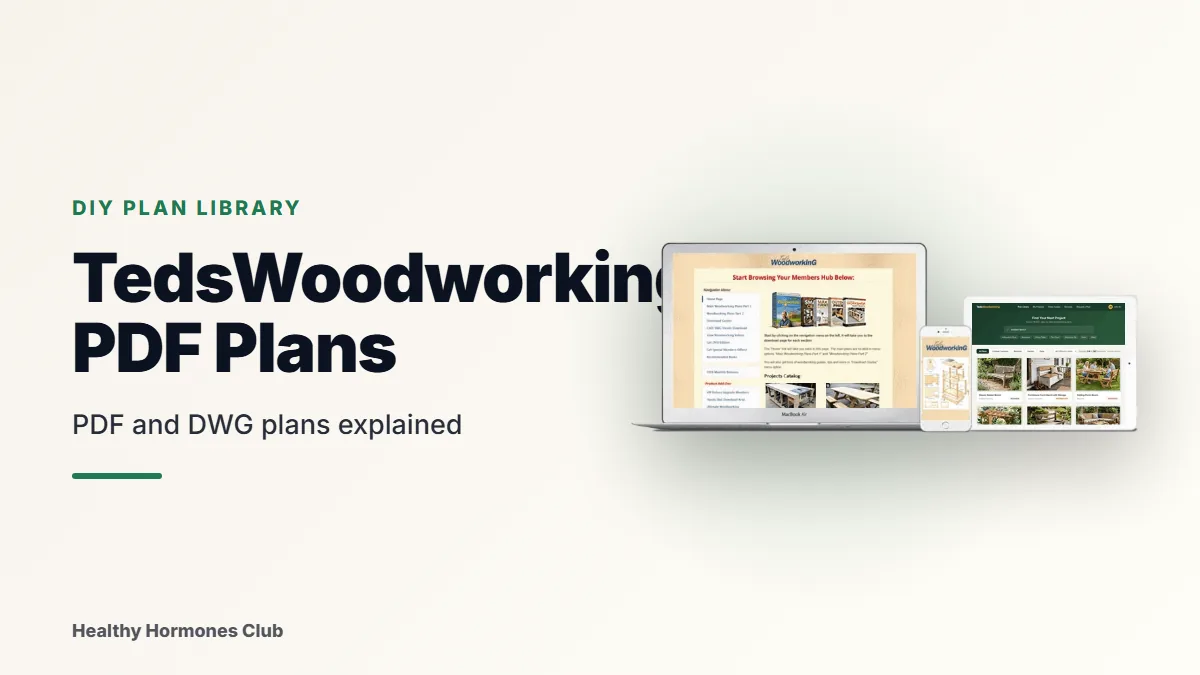
Most builders want a plan they can carry to the shop. A paper copy stays flat on the bench, a tablet lets you zoom in on a joint, and a clear file keeps every drawing in one folder. The Teds Woodworking PDF format is built for that workflow. The seller says each plan comes as a PDF for printing and reading, and as a DWG drawing file for those who want to work in CAD-style software.
This guide shows you how the files work, how to print them at home and which reader to use, so you can start your first project with the right tools on hand. If you are still weighing whether the library fits your projects, our what is TedsWoodworking guide gives the full picture.
Get Plans You Can Print at Home
Searchable plans in PDF and DWG, with cut lists and materials lists you can print and take to the shop.
Get the PDF Plans
One payment of $67Table of Contents
Two Formats, Two Jobs
The seller describes two file types for each plan. The PDF is the one you will use most. It is a fixed page that looks the same on any device, so the drawing, the cut list and the materials list stay in the order the designer set. You can print it, mark it up with a pencil or read it on a screen without losing the layout.
The DWG file is a drawing file used in CAD-style software. It is useful if you want to change a dimension, scale a piece to fit a corner or check a joint at a larger size. If you are happy with the PDF, you may never need the DWG at all.
The seller says most plans come in both imperial and metric units. That matters at the tape measure. Choose one system for the whole project so the cut list matches the drawing, and do not mix a metric board with an imperial dimension in the same build.
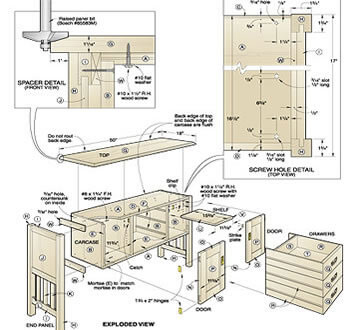
The drawing above is a sample of the exploded-view style the seller describes. Exploded views show each part pulled apart from the assembly, so you can see where every piece sits before you cut.
The Free Reader You Need
For PDF files, a free PDF reader is enough. The seller’s FAQ names Adobe Reader as the program to use. Most computers, tablets and phones already include a PDF viewer, so you may not need to install anything new.
For DWG files, you need the DWG/CAD Plan Viewer, which the seller includes as one of the bonuses. Install it before you open your first DWG file, so the drawing opens the first time you click it.
Open Your First Plan Today
Download a PDF plan, print the materials list and start with a project that fits your tools.
Start With a PDF Plan
60-day money-back guaranteePrinting TedsWoodworking PDF Plans at Home
Printing turns a plan into a bench companion. Use these steps for a clean copy:
- Print at actual size or 100 percent. Check the print settings so the scale is not reduced to fit the page. A plan printed at the wrong scale will give you the wrong cut.
- Print the materials list and the cut list on their own sheet. Those two pages are the ones you will check at the store and in the shop.
- Use a pencil and a clipboard. Mark each piece as you cut it, so you do not lose your place.
- Keep a binder. A clear sleeve for each plan keeps the drawings flat and dry.
If a drawing is more detailed than your printer can handle at home, you can still read the plan on a screen and print only the list pages. That approach saves ink and keeps the parts list where you can see it.
Paper choice matters a little too. Standard printer paper works well for the cut list and the materials list, since those pages get checked and marked. A heavier stock suits the drawing pages, because it stays flat on the bench and holds up to glue and pencil marks better. If a drawing runs across two sheets, print the pages with the same scale setting and tape them together along the edge before you measure anything.
Label every printed page with the plan name and the page number. A labeled set stays in order in the binder, and you can find the materials list again in seconds when you return to the project after a week away from the shop.
Print Your First Plan This Week
Searchable PDF plans with cut lists and materials lists, ready to print for the bench.
Get Printable Plans
One payment of $67Reading Plans on a Screen in the Shop
A tablet can replace a paper copy for many builders. It lets you zoom into a joint and move between the cut list and the drawing without shuffling sheets. Keep the tablet away from sawdust and water, and use a stand so the screen stays upright beside the work.
A phone works well for quick checks, such as the length of one board or the angle of a brace. For the full drawing, a larger screen is easier to read. The seller says the members area works on phone, tablet and computer, so you can choose the device that fits your bench.
Opening the DWG Files
DWG files reward patience. Once the viewer is installed, you can open the drawing, zoom in on a joint and measure a part. If you want to adjust a dimension, a CAD-style program gives you that control. Save a copy of the original file before you change anything, so you can always return to the seller’s version.
Some builders keep both formats. They print the PDF for the bench and keep the DWG on the computer for planning. That combination covers both the quick check and the careful change. Our buyer guide explains which formats each plan comes in.
Get the Plans and the Viewer
PDF and DWG plans, plus the DWG/CAD Plan Viewer bonus, for one payment of $67.
Get the Plans and Viewer
Checked November 24, 2026Why Buy From the Members Area
Plan files from unknown sites are a poor substitute for the seller’s library. Copies found on file-sharing pages are not the seller’s library, may come without the full set of drawings and can carry files you do not want on your computer. The members area gives you the plans, the bonus viewer and the seller’s support page in one place.
The TedsWoodworking buyer guide gives the full picture of the library, and the what’s included page lists the files and bonuses that come with it.
Buying through our button sends you to the seller’s order page, where ClickBank handles the payment. Keep your confirmation email, since it holds the order details you will need if you ever contact support. Our where to buy guide explains the order steps in more detail.
Frequently Asked Questions
What file types come with TedsWoodworking?
The seller says the plans come as PDF and DWG files. PDFs are for printing and reading, and DWG files are drawing files for CAD-style software.
Which program opens the TedsWoodworking PDF files?
Any free PDF reader works. The seller’s FAQ names Adobe Reader as an example, and most devices can open a PDF without extra software.
Do I need extra software for the DWG plans?
The seller includes the DWG/CAD Plan Viewer as a bonus, which the seller describes as the software for opening DWG plans.
Are the plans in inches or metric?
The seller says most plans come in both imperial and metric units. Pick one system for each project so the cut list matches the drawing.
Can I read the plans on a phone or tablet?
The seller says the members area works from a phone, tablet or computer. A tablet is often the easiest choice at the bench.
Is there a refund if the files do not open for me?
The seller offers a 60-day money-back guarantee. Contact the seller through its support page with your order details, keep your confirmation email, and the seller says it refunds within 48 hours.